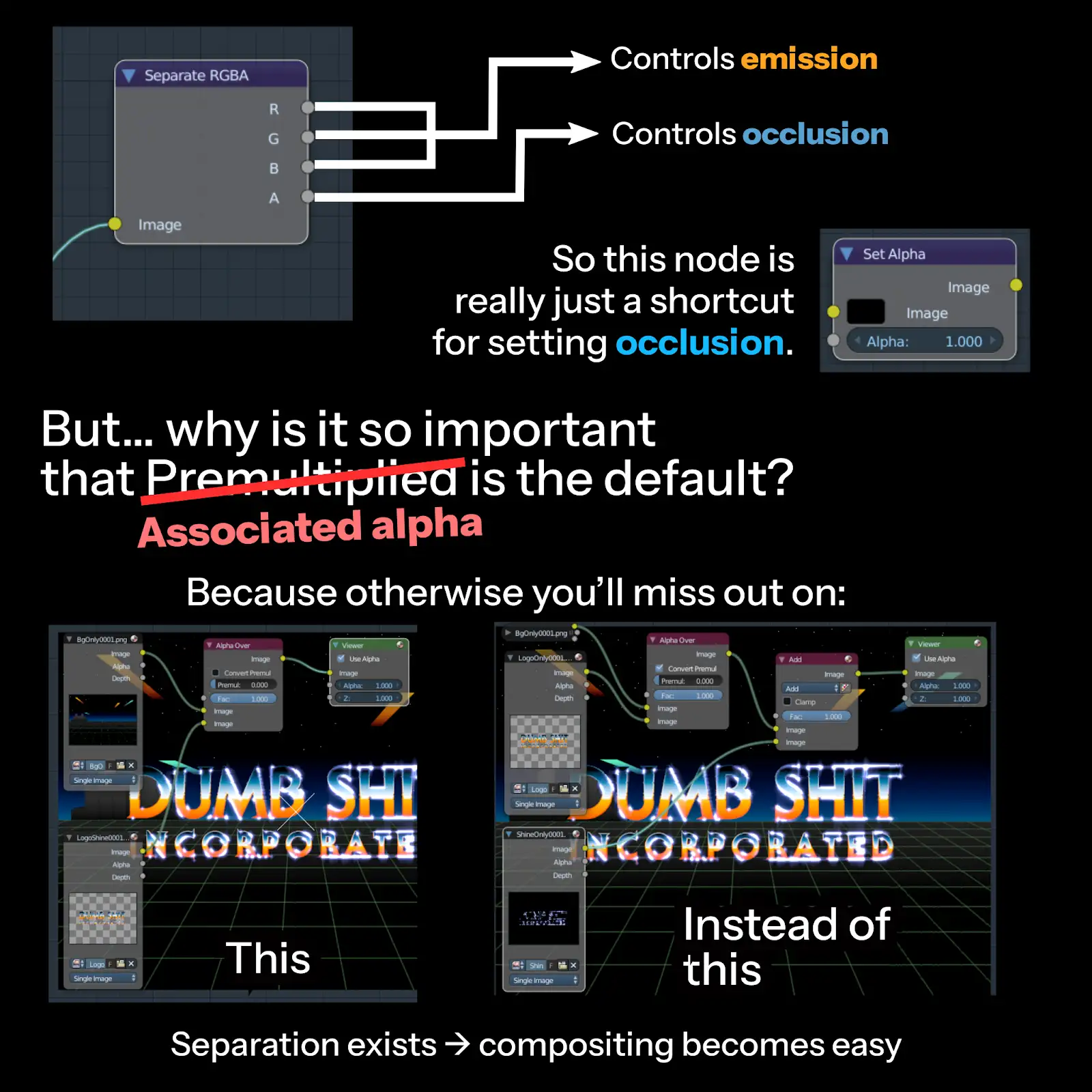
What's an alpha?
alpha... opacity... tomayto, tomahto...
here's another blender tip that's... not really a "blender tip" but more of a general compositing concept
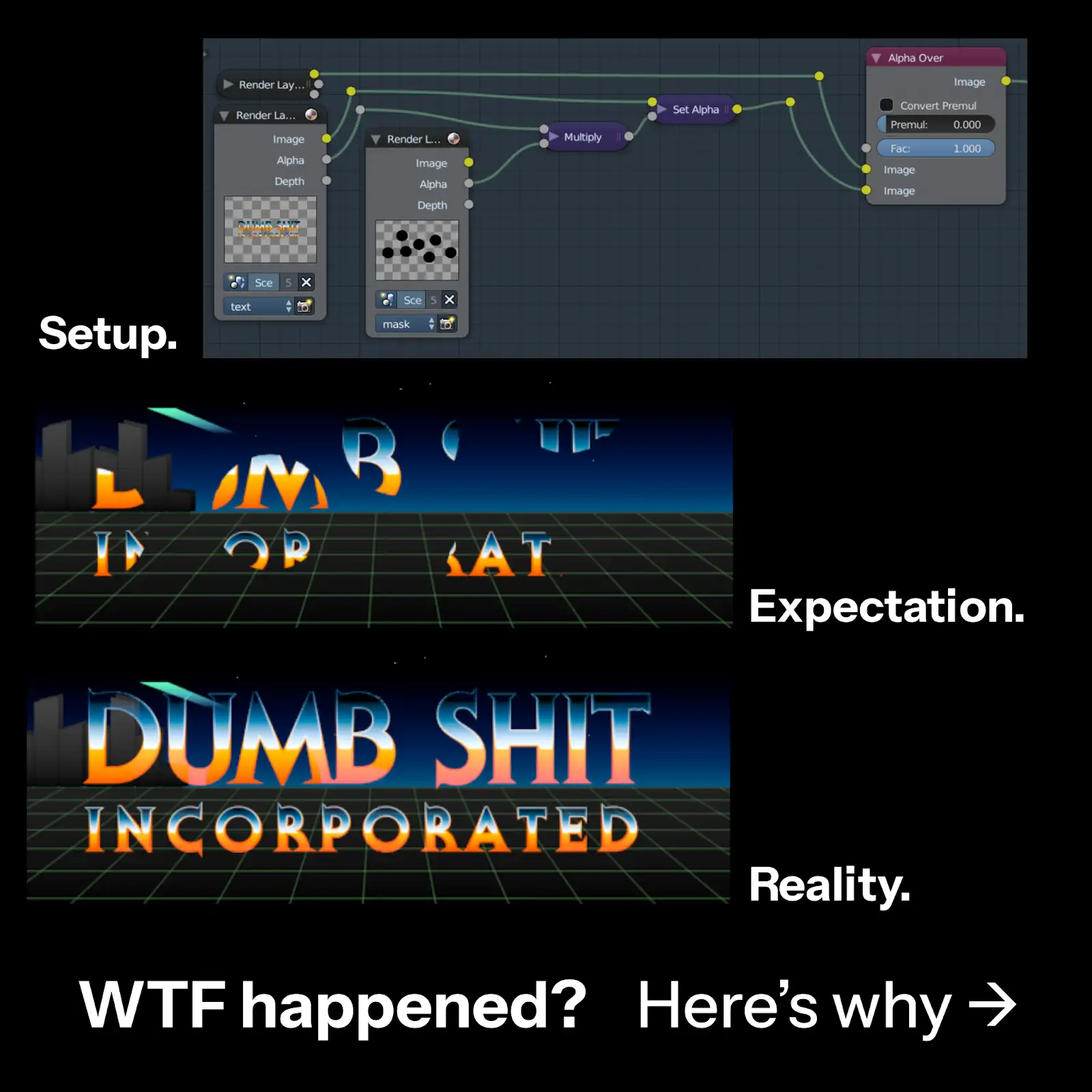
what actually happens when you layer images? sure, the colors of the layer beneath it [the "background"] are added with the colors of the current layer [the "foreground"], but that's only the case if the current layer's blend mode is set to "Add".
okay, what's "Normal" do then? since the foreground is assumed to cover the background, the intensity of the background gets reduced depending on the opacity.
well, why doesn't it work here when I use the "set alpha" node in blender (esp. <2.8)?
the answer is that blender defines "alpha" a little differently.
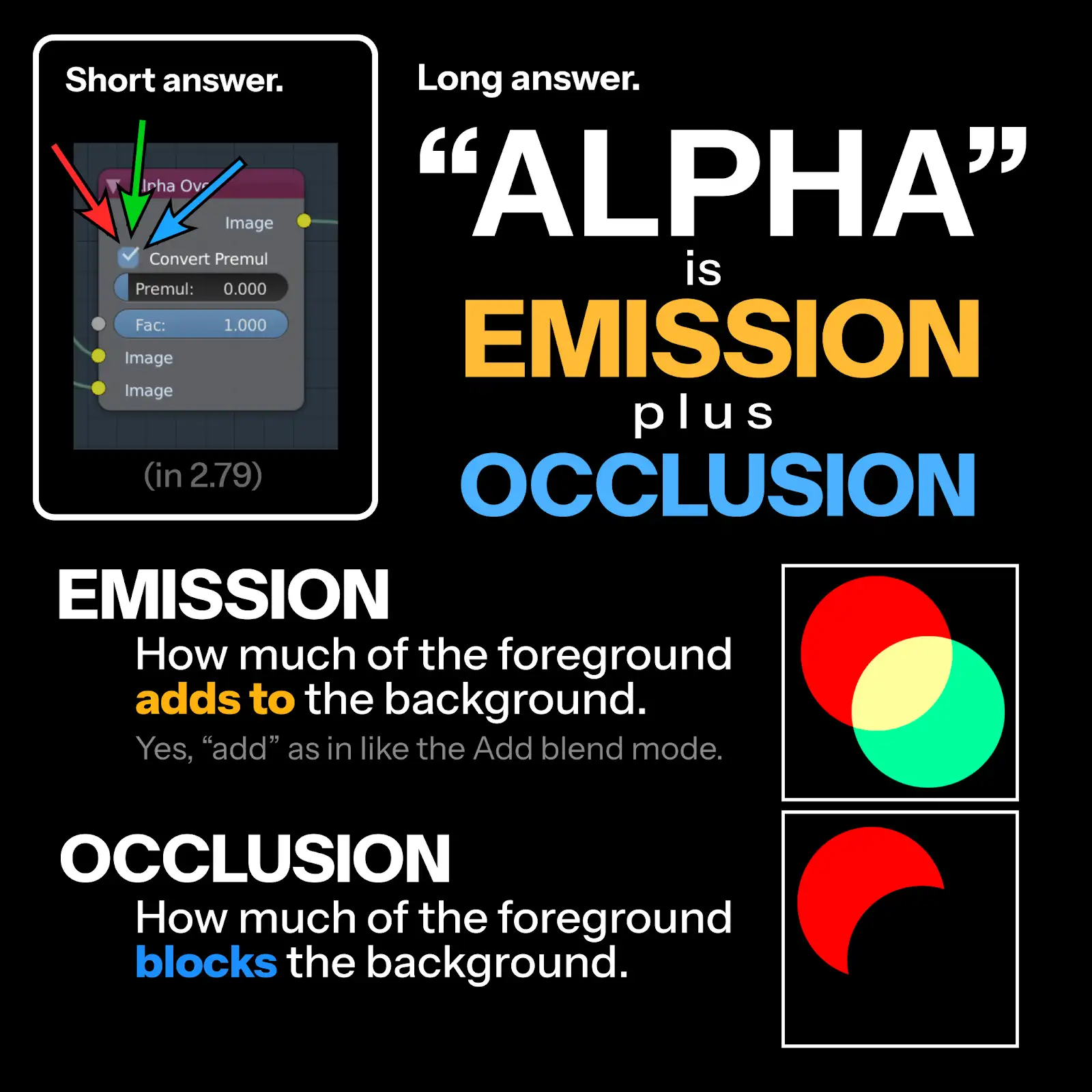
that "Normal" blend mode operation is split into three processes here:
-
Multiplication : multiplying the colors of the foreground with its opacity, so that it won't be visible at all when the opacity is 0
-
Occlusion : reducing the background's intensity, because the foreground is covering it. when the foreground's opacity is 0, nothing happens
-
Emission : adding the colors of the foreground and background together. because of step 1, when the foreground's opacity is 0, nothing is to be added
the "Normal" blend mode ALWAYS performs these three as a single unbreakable step.
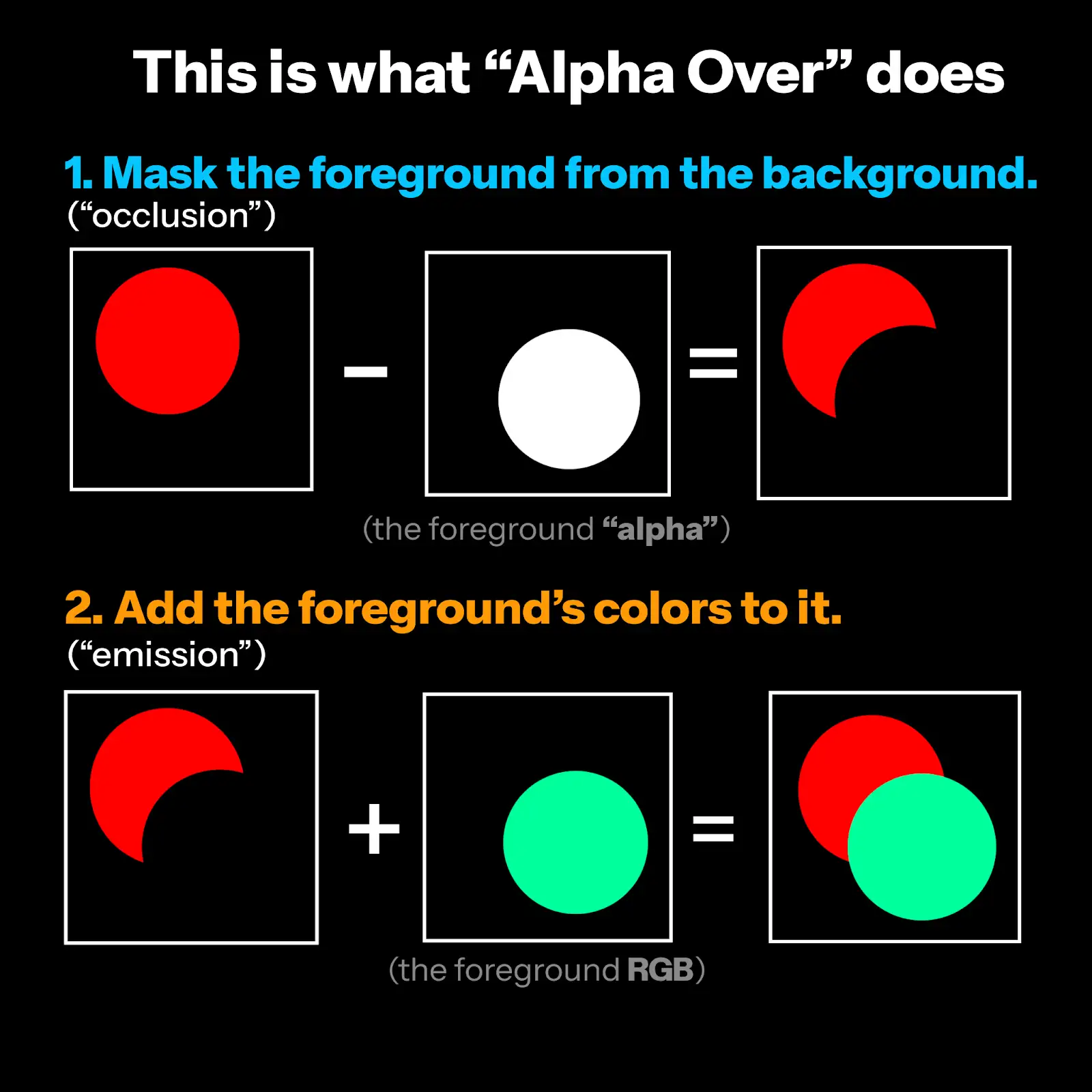
in blender, when you are setting the "alpha" of some image, you are setting its' occlusion, i.e. how much it COVERS the background. which means the RGB channels are how much to ADD to the background.
multiplication is not done since blender assumes you are in complete control over your image, and so it doesn't want to do anything funny.
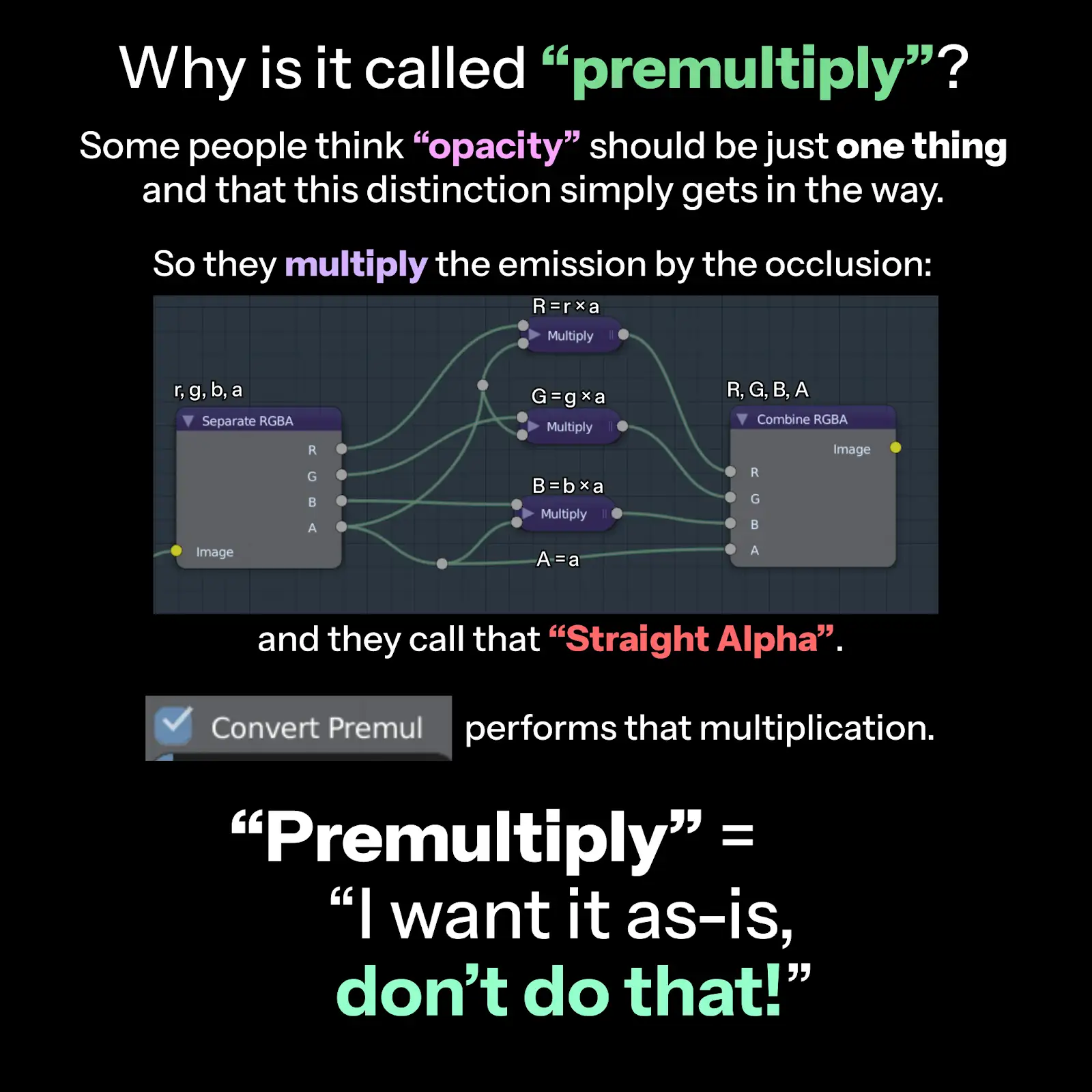
since what the "Normal" blend mode does is assumed as what most people want to do, e.g. in photoshop, in the png file format etc. this separation is seen as an abberation. the "Multiplication" process is skipped, and so people call it "Premultiplied"
which becomes funny when the opposite therefore is "Unpremultiplied". like wtf is that??? though people usually tend to call that "Straight Alpha".
the more sensible term for this separated thing is "Associated Alpha", since no change is to be made to the image data ("associated" ~= "it's what i want")
in contrast, "Unassociated Alpha" says the image should be darkened with opacity (so the image data is changed before operation)
now why would someone want "Associated Alpha"?
imagine you want to paste a campfire over a mountain:
you can do it the easy way where you mix a single image containing both emission and occlusion info atop the mountain picture.
or the hard way, where you need one image for the wood, another for the fire, and you paste the wood using the "Normal" blend mode and the fire using "Add".
in terms of motion graphics: wouldn't it be nice if I could just paste a logo WITH its' shine directly on top of everything else? what if I want to add a shadow and not have the shine follow with it?
so really it tends to be a bit specialized but if you understand it can be quite powerful
I found this article the other day, might be helpful