Don't fear the graph editor!
Though it's not exactly straightforward, getting the hang of this thing goes a long way into making animations look polished and accurate, but here are two "subtips"
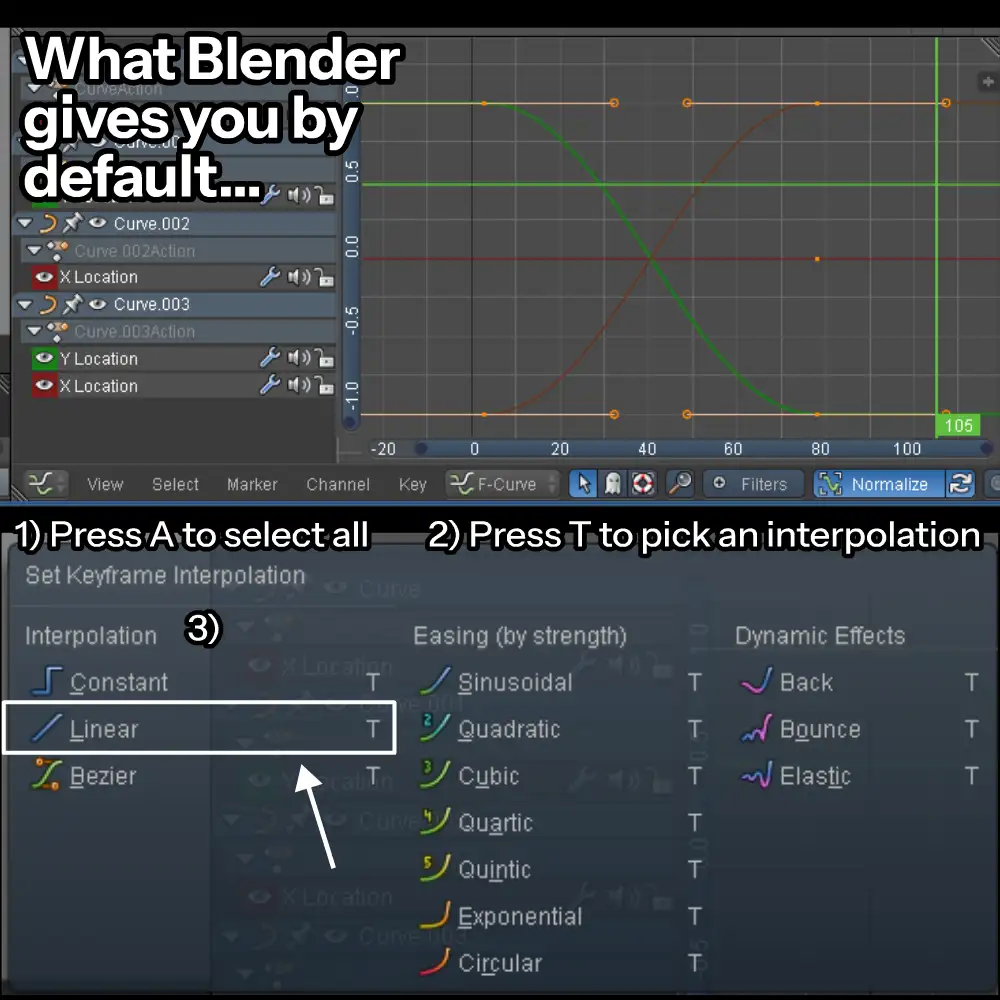

There's a bunch of interpolation modes you can use, linear and constant seems useful for emulating frame by frame stuff. exponential is if you wanna make modern-looking stuff where everything swishes by fast and stops slowly
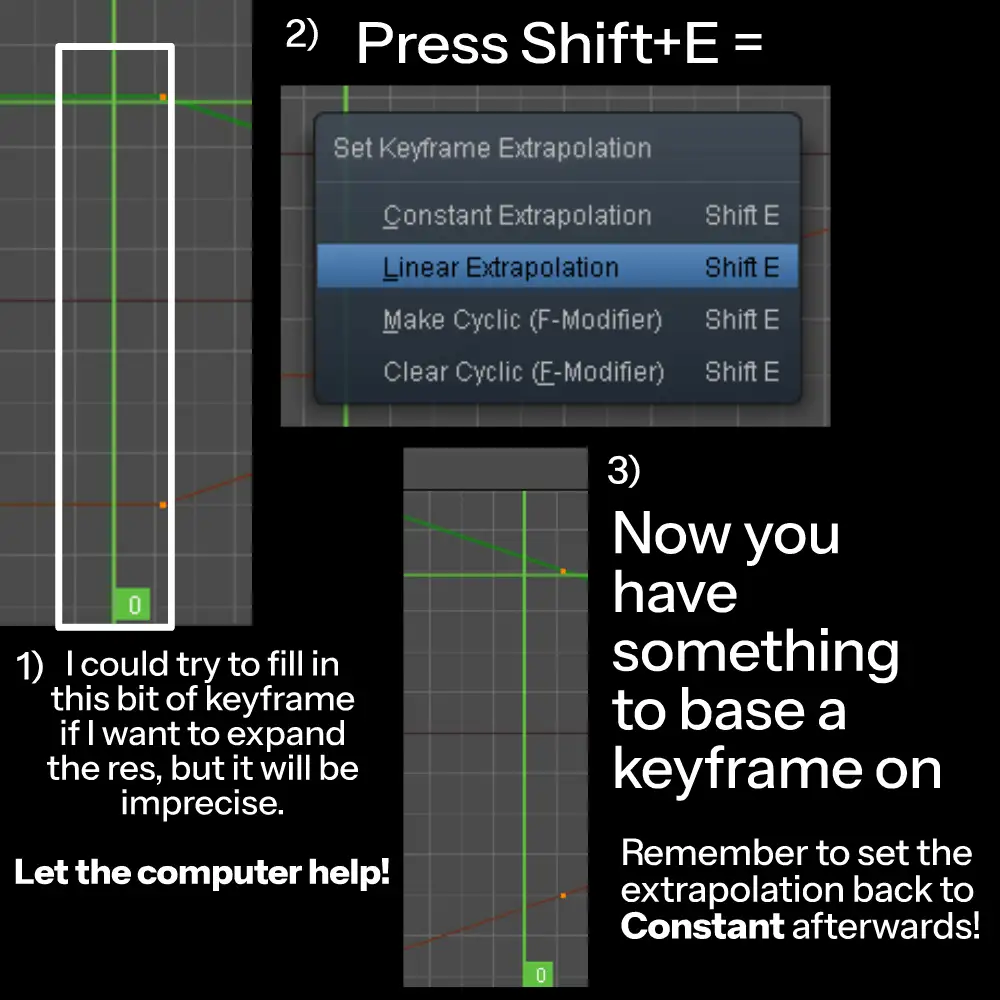

Extrapolation (even if limited) is a thing in blender, say you want to extend movement to fill some new aspect ratio, or you don't feel like tracking an object which moves in a straight motion, just let Blender infer that from the tangent of your keyframes