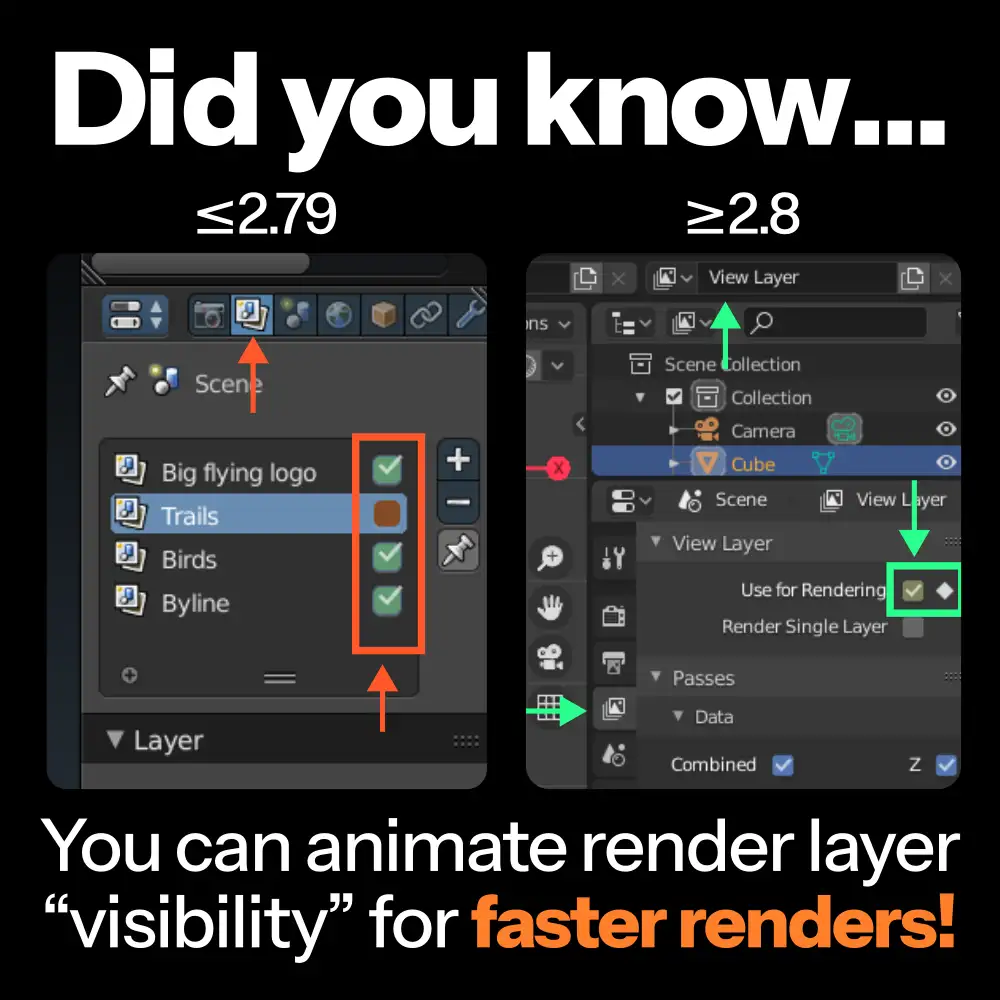
Disable unnecessary render layers
IMPORTANT CAVEAT: Works best if you only have one scene!
Apparently you can animate the checkbox that determines whether or not blender will render this layer or not. just hover over said checkbox and press i
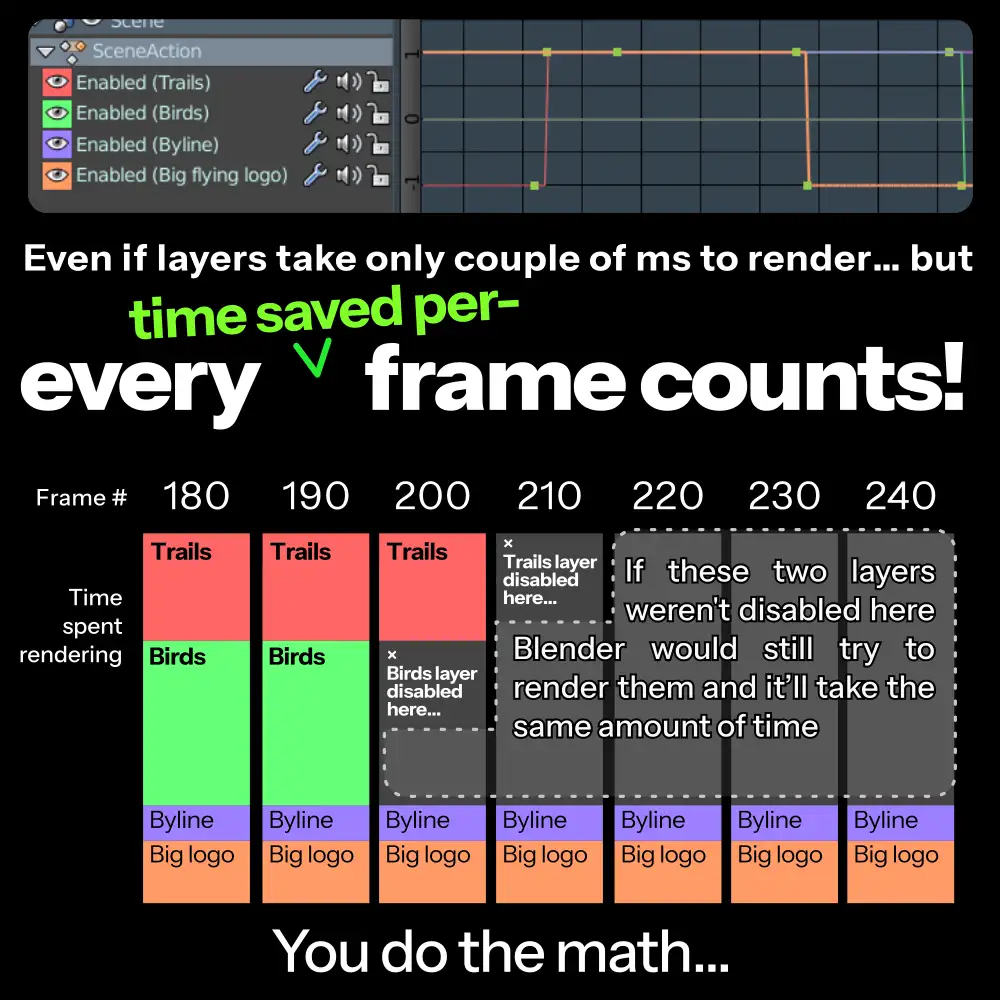
If you have a view layer that you know renders nothing from frame A through frame B, it's best to set a keyframe on the checkbox in frame A to disable it, and another keyframe in frame B to enable it again (make sure the interpolation is set to constant)